Best tools to sync AI coding agent configs in 2026
Compare Loadout, Chezmoi, GNU Stow, and git for syncing AI coding agent configs across machines in 2026. Find the best fit for your developer workflow.
To sync AI coding agent configs across machines in 2026, choose the method that matches what you actually manage. Best overall: Loadout for skills and MCP servers. Best for git-managed dotfiles: Chezmoi. Best minimal symlink setup: GNU Stow. Best for team review workflows: a private git repository. Best for peer-to-peer file replication: Syncthing.
TL;DR
- Loadout wins when you need to sync AI coding agent configs across machines without a repository on every device.
- Chezmoi fits developers who already manage dotfiles in git and need machine-specific templates.
- GNU Stow organizes config symlinks but needs another tool to transport files between machines.
- A private git repository gives teams reviewable history while retaining a manual pull workflow.
- Syncthing replicates config files directly between devices but does not understand agent or MCP schemas.
Why this matters
AI coding tools do not share one standard configuration directory. Claude Code skills, Cursor settings, Codex configuration, GitHub Copilot settings, and MCP server definitions can live in different paths and use different formats. A working setup on your laptop therefore does not automatically exist on your desktop, remote workstation, or replacement machine.
That fragmentation becomes a maintenance problem in 2026. Installing an MCP server is only the first step; you also need to preserve its configuration, keep enabled tools consistent, restore a known setup, and decide which settings belong on every machine. Manual copying works until one machine changes independently and nobody knows which copy is current.
The five approaches below solve different layers of the problem. Some understand skills and MCP servers. Others only move files. That distinction determines whether you get actual config management or another folder that still needs manual supervision.
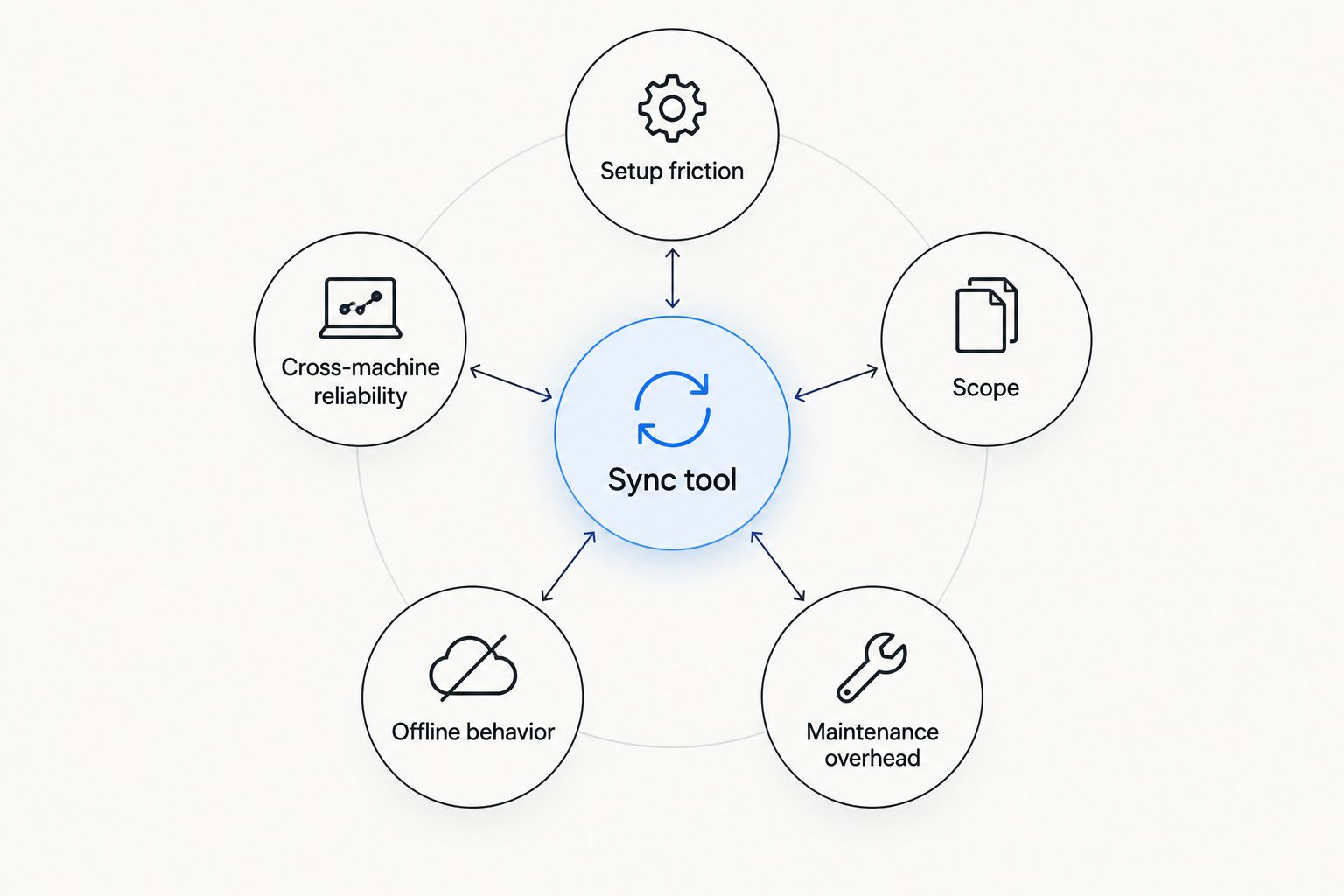
The right sync method depends on transport, config scope, offline behavior, and ongoing maintenance.
What makes the best AI agent config sync tool
- Setup friction: Adding a machine should not require reconstructing every skill and MCP server by hand.
- Cross-machine reliability: The tool needs a clear source of truth and predictable conflict handling.
- Scope: Agent-specific management is different from copying shell dotfiles or arbitrary directories.
- Offline behavior: A disconnected machine must not silently become the authoritative copy.
- Security model: Secrets should remain separate from portable configuration whenever the underlying tool does not encrypt them.
- Maintenance overhead: A sync setup only works if developers consistently use it after the initial installation.
AI coding agent config sync tools at a glance
| Tool | Best for | Standout feature | Key limitation |
|---|---|---|---|
| Loadout | Skills and MCP servers across machines | Background agent with a private realtime channel | Does not replace a general dotfiles manager |
| Chezmoi | Existing git-based dotfiles workflows | Templates for machine-specific differences | Requires repository and template management |
| GNU Stow | Small, stable configuration trees | Transparent symlink-based organization | Does not transport files between machines |
| Private git repository | Team review and change history | Commit-level audit trail | Every machine still needs an update workflow |
| Syncthing | Direct file replication between devices | Peer-to-peer folder synchronization | Treats configs as files, not agent-aware objects |
1. Loadout: best for syncing skills and MCP servers
A background agent runs on each connected machine while a private realtime channel carries installs, toggles, and restores. The system is designed around AI coding tools rather than every dotfile in a home directory. Its marketplace also gives developers a place to find skills and MCP servers before distributing them across their machines.
This narrower scope is the main reason it ranks first for the target query. You do not need to redesign agent configuration as a dotfiles repository before sync can begin. It addresses the objects developers are trying to keep consistent: skills, MCP servers, their installed state, and restoration across multiple machines.
Loadout pros:
- Purpose-built for AI coding agent skills and MCP servers
- Background-agent model instead of a manual pull on each machine
- Private realtime channel for installs, toggles, and restores
- Marketplace and synchronization live in the same developer workflow
Loadout cons:
- It is not a replacement for managing shell, editor, SSH, or operating-system dotfiles
- An offline machine cannot receive a live change while disconnected
- Developers still need to keep credentials and machine-specific secrets out of portable config where appropriate
Cursor users can start with the best MCP servers for Cursor in 2026. The Claude Code MCP server guide covers a different toolchain, so the install set does not need to be treated as interchangeable.
Best for: software engineers using Claude Code, Codex, Cursor, or GitHub Copilot on multiple machines. Verdict: Buy.
Sync your agent configuration
Connect your machines and manage skills and MCP servers from one account.
2. Chezmoi: best for git-managed dotfiles
Chezmoi manages dotfiles from a source directory and applies them to their expected locations. It supports templates, which lets one managed file render differently according to the machine, operating system, or values supplied during setup. Agent configuration can sit beside shell and editor settings in the same managed repository.
That model works well when Chezmoi is already the source of truth. It is less attractive when skills and MCP servers are the only files you need to synchronize, because you must first map each tool's directories into the repository and decide how templates, secrets, and machine-specific values should behave.
Chezmoi pros:
- Keeps agent configs beside an existing dotfiles setup
- Supports machine-specific templates instead of forcing identical files everywhere
- Git history makes changes inspectable and reversible
- Applies managed files to their required paths
Chezmoi cons:
- Requires developers to understand its source-state and target-state model
- Sync depends on repository updates rather than an agent-aware realtime channel
- It does not provide an MCP server marketplace or validate agent-specific schemas
Best for: developers who already use Chezmoi and want agent configs governed by the same dotfiles workflow. Verdict: Hold if Chezmoi is already installed; Skip if this is your only configuration problem.
3. GNU Stow: best for transparent symlink management
GNU Stow organizes files into packages and creates symlinks from those packages into the target directory. A developer can keep separate packages for shell settings, editor settings, or individual agent configurations while preserving a readable directory structure.
Stow solves placement, not synchronization. You still need git, rsync, Syncthing, or another transport to move the package directory between machines. That split can be useful because every link remains visible, but it also means the complete solution has more than one moving part.
GNU Stow pros:
- Uses standard directories and symlinks rather than a proprietary config format
- Keeps configuration packages separate and inspectable
- Works well for a small tree that changes infrequently
- Makes it clear which files are managed
GNU Stow cons:
- Provides no built-in cross-machine transport
- Does not understand skills, MCP servers, or enabled states
- Symlink behavior can differ when tools rewrite their own config files
Best for: developers who want explicit symlinks and already have a reliable file transport. Verdict: Hold.
4. Private git repository: best for team review workflows
A private repository is the direct approach: store portable agent configurations as versioned files, review changes through the normal git workflow, and clone or pull the repository on each machine. Commit history records what changed, while branches and pull requests can enforce team review.
The repository does not know where each coding tool expects its files. Teams need scripts, symlinks, or documented commands to place configs correctly. They also need a policy for secrets because committing tokens or credentials creates a separate security problem rather than solving synchronization.
Private git repository pros:
- Every accepted change has reviewable history
- Existing branch and pull-request rules can govern shared configuration
- Rollbacks use familiar git operations
- The format remains portable between hosting providers
Private git repository cons:
- Each machine needs a clone, pull, and installation process
- Concurrent changes can produce merge conflicts
- Path mapping and secret handling remain the team's responsibility
- There is no built-in awareness of MCP server state or agent compatibility
Best for: engineering teams that value review and auditability more than realtime propagation. Verdict: Hold.
5. Syncthing: best for peer-to-peer config replication
Syncthing synchronizes folders directly between approved devices. Point it at a directory containing portable configurations and file changes can propagate without using a central git repository. This makes it useful when the requirement is direct file replication rather than history, templates, or a marketplace.
The limitation is semantic: Syncthing sees files and directories, not skills or MCP servers. If an application partially rewrites a config or two devices modify the same file before synchronization, the file layer must resolve the result without understanding what the configuration means.
Syncthing pros:
- Replicates folders directly between connected devices
- Does not require a central source-code repository
- Works with arbitrary files rather than a tool-specific source format
- Keeps the directory structure visible to the developer
Syncthing cons:
- Does not validate agent configuration or MCP server schemas
- Simultaneous edits can create conflict copies that require review
- Every relevant device and directory needs explicit configuration
- It does not separate portable settings from machine-specific values automatically
Best for: a developer who needs direct folder replication and accepts responsibility for paths, conflicts, and config validity. Verdict: Wait unless file-level sync is already part of the workstation setup.
How the tools were ranked
The ranking prioritizes direct support for AI coding agent configuration over general file movement. A purpose-built option ranks above a dotfiles manager because it manages the relevant objects without first converting the problem into repository structure, templates, or symlinks. General tools remain useful when they already govern the rest of a developer's environment.
Reliability matters more than initial convenience in 2026. A setup that copies files quickly but has no clear source of truth creates drift. The strongest choice is the one developers will use consistently whenever they add a skill, enable an MCP server, replace a machine, or restore an established configuration.
Which config sync tool should you choose in 2026?
Choose Loadout if the scope is specifically skills and MCP servers for Claude Code, Codex, Cursor, or GitHub Copilot. It is the default recommendation because the background-agent model addresses the target problem directly rather than treating agent configs as generic files.
Choose Chezmoi when agent configuration belongs inside an existing templated dotfiles repository. Choose GNU Stow when transparent symlink placement matters more than automation. Use a private git repository when team review is mandatory. Choose Syncthing only when direct folder replication is the requirement and you are prepared to manage conflicts and schemas yourself.
No option removes the need to classify secrets correctly. Portable config should describe how a tool connects; credentials should stay in the secret mechanism appropriate to the machine and application.
FAQ
What is the best way to sync AI coding agent configs across machines in 2026?
A purpose-built background agent is the best option when the files are skills and MCP server configurations. Chezmoi is the better fit when those files already belong to a broader git-managed dotfiles system.
Can I sync Claude Code and Cursor configurations with the same tool?
Yes, an agent-specific sync service can manage skills and MCP servers used across Claude Code and Cursor. A general file tool can also move their files, but you must map each application's paths and formats yourself.
Is Chezmoi better than a background sync agent?
Chezmoi is better for templated dotfiles, while a background sync agent is better for agent-specific installs, toggles, and restores. The deciding factor is whether you manage an entire workstation or only AI coding agent configuration.
Does GNU Stow sync files between computers?
No, GNU Stow manages symlinks and package placement on a machine. It needs git, rsync, Syncthing, or another transport to move its source directory between computers.
Can a private git repository sync MCP server configs?
Yes, a private git repository can version portable MCP server configuration files. You still need installation scripts or documented commands to place those files correctly on every machine.
Should API keys be included in synchronized agent configs?
API keys should remain separate from portable configuration unless the chosen secret system is explicitly designed to protect them. Committing or copying plaintext credentials expands the impact of repository or device access.
What happens when two machines edit the same config?
The result depends on the sync method. Git produces a merge workflow, file replication tools can create conflict copies, and an agent-specific service applies its own state model.
Can Syncthing replace an AI agent config manager?
Syncthing can replace the file transport layer, but it does not understand skills, MCP servers, enabled states, or configuration schemas. It is suitable when direct folder replication is enough.
One last thing
Do not start by synchronizing every agent directory. First separate portable definitions from machine-specific paths and credentials, then choose the source of truth. That single decision prevents a 2026 sync setup from spreading broken paths or exposed secrets faster than the original manual workflow.
The practical test is simple: add a new machine without referencing a personal checklist. If the current method cannot reconstruct the intended skills and MCP servers predictably, it is file storage, not configuration management.