Best MCP servers for OpenAI Codex in 2026
GitHub MCP server, Filesystem MCP server, and Context7 rank as the best MCP servers for OpenAI Codex in 2026 — full comparison, pros, cons, and verdicts.
OpenAI Codex reads MCP servers the same way any MCP client does: over stdio or SSE, through a config file that lists the server command and its permissions. The best MCP servers for OpenAI Codex in 2026 are GitHub MCP server for repo and PR work, Filesystem MCP server for local file operations, and Context7 for keeping library docs current — the rest of this list covers where each server earns its slot and where it doesn't.
TL;DR
- GitHub MCP server wins for Codex users managing pull requests and issues directly from the agent loop.
- Filesystem MCP server is the safest pick for local-only coding sessions with no repo write access.
- Context7 cuts hallucinated API calls by pulling current library docs instead of relying on Codex's training data.
- Playwright MCP server is the only reasonable choice for browser-driven testing tasks in 2026.
- Running the same MCP server list on every machine is a config problem Codex itself doesn't solve — Loadout does.
Why this matters
Codex without MCP servers can only read and write files in its sandbox. Add MCP servers and it can query a database schema, open a GitHub issue, run a browser, or pull the current docs for a library it's never seen. The gap between a mediocre Codex session and a good one in 2026 is usually which MCP servers are wired in, not which model is behind the agent.
The catch: install one MCP server on your laptop and it's not on your desktop or your work machine. Loadout exists specifically for that — a background agent that syncs MCP server installs, toggles, and restores across every machine you run Codex on, so you're not re-running setup commands on machine three.
What makes the best MCP server for Codex
- Protocol maturity — the server implements the current MCP spec without patches or forks that break on Codex's client.
- Scope boundaries — read-only vs. read-write access is explicit before install, not discovered after a bad commit.
- Config compatibility — works with Codex's config format without hand-editing JSON every time you add a tool.
- Maintenance activity — commits and releases within the last few months, not an abandoned reference implementation.
- Fleet sync — the same install works across every machine you code on, not just the one laptop you set it up on.
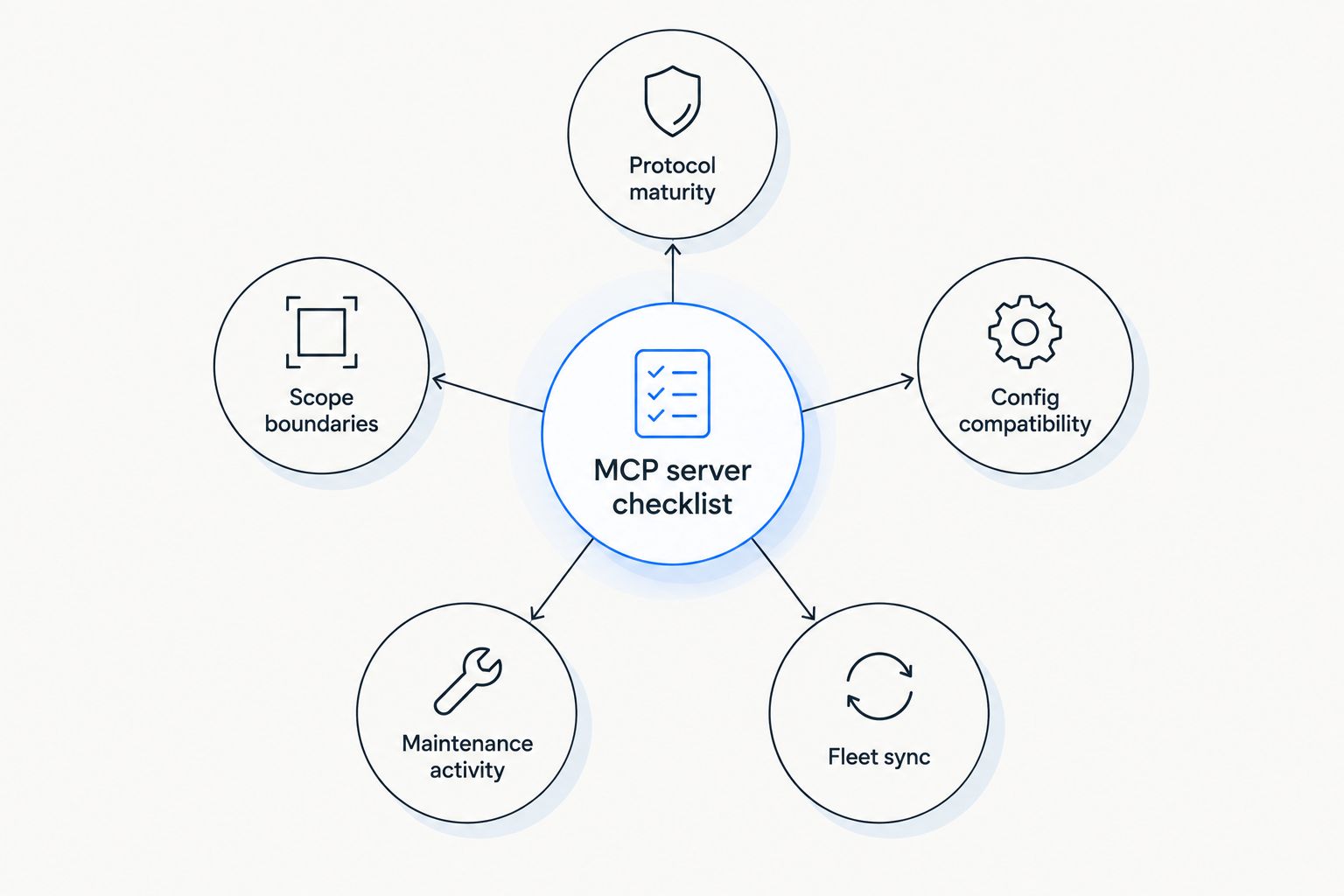
Fleet sync is the criterion most Codex setups skip until they're debugging a second machine.
MCP servers for Codex at a glance
| Server | Best for | Standout feature | Key limitation |
|---|---|---|---|
| GitHub MCP server | Repo and PR workflows | Direct issue and pull-request operations from the agent | Write access needs careful scoping before use |
| Filesystem MCP server | Local file operations | Directory-scoped read/write, no network calls | No awareness of anything outside the mounted path |
| Postgres MCP server | Schema-aware database work | Introspects schema before generating queries | Read-only by default, limited for migration work |
| Playwright MCP server | Browser testing and automation | Drives a real browser via the accessibility tree | Slower than API-based tools for simple checks |
| Context7 | Current library and API docs | Pulls live documentation instead of stale training data | Adds a network round-trip per lookup |
| Sentry MCP server | Debugging production errors | Surfaces real issue data inside the agent loop | Only as useful as your existing Sentry setup |
| Brave Search MCP server | Web search in the agent loop | Search results without leaving the Codex session | Rate-limited depending on your API tier |
1. GitHub MCP server: best for repo and pull-request workflows
GitHub MCP server exposes GitHub's API as MCP tools — opening issues, reading PR diffs, commenting, and merging — so Codex can act on a repo instead of just reading files checked out locally. For teams running Codex against real repos in 2026, this is usually the first server installed.
GitHub MCP server pros:
- Handles issues, PRs, and repo search without leaving the agent session
- Actively maintained with frequent releases
- Works identically whether Codex is running against a personal repo or an org repo
GitHub MCP server cons:
- Write access (merging, closing issues) needs explicit scoping — don't hand it a token with more permission than the task needs
- Rate limits apply the same way they do for any GitHub API consumer
GitHub MCP server verdict: Buy. Best for developers who want Codex acting on pull requests and issues directly, not just editing local files.
2. Filesystem MCP server: best for local file and directory operations
Filesystem MCP server is one of the original reference servers from the MCP spec — it grants Codex read/write access scoped to a directory you name, nothing more. No network calls, no external API, no token to manage.
Filesystem MCP server pros:
- Simplest possible setup — one path, no credentials
- No data leaves the machine
- Predictable behavior with no external dependency to break
Filesystem MCP server cons:
- Zero awareness of anything outside the mounted directory
- Doesn't replace git operations or repo-aware tooling
Filesystem MCP server verdict: Buy. Best for local-only coding sessions where you don't want Codex touching anything beyond one project folder.
3. Postgres MCP server: best for schema-aware database work
Postgres MCP server lets Codex introspect a database's schema before writing queries, instead of guessing column names from a stale migration file. It's a reference implementation, so setup is a connection string and a scope decision.
Postgres MCP server pros:
- Cuts down on hallucinated column and table names in generated SQL
- Read-only mode is a safe default for exploratory work
- Straightforward to point at a staging database
Postgres MCP server cons:
- Read-only by default means it's limited for anything involving migrations or writes
- Adds one more credential to manage per project
Postgres MCP server verdict: Buy for teams doing regular schema-aware work. Skip if Codex's tasks rarely touch the database layer.
4. Playwright MCP server: best for browser testing and UI automation
Playwright MCP server drives an actual browser through the accessibility tree rather than screenshots, so Codex can click, fill forms, and assert on page state during a coding session. It's the closest thing to a standard for browser automation inside an MCP client in 2026.
Playwright MCP server pros:
- Real browser behavior, not a scraped DOM snapshot
- Useful for both writing and running end-to-end tests
- Backed by an actively maintained project
Playwright MCP server cons:
- Noticeably slower than API-based tools for simple checks
- Overkill if your task never touches a UI
Playwright MCP server verdict: Buy for anyone doing frontend or E2E work. Wait if your Codex use is backend-only.
5. Context7: best for up-to-date library and API documentation
Context7 fetches current documentation for a library instead of relying on whatever version Codex's training data happened to include. For fast-moving libraries, this closes a real gap — Codex's knowledge cutoff doesn't match a package that shipped a breaking change last month.
Context7 pros:
- Reduces hallucinated method signatures and deprecated API calls
- Works across a wide range of popular libraries
- Low setup friction once the MCP config is in place
Context7 cons:
- Adds a network round-trip per documentation lookup
- Only as good as the library's published docs
Context7 verdict: Buy. Best for projects that depend on libraries updated more often than Codex's own training data.
6. Sentry MCP server: best for debugging production errors
Sentry MCP server surfaces real issue data — stack traces, affected users, error frequency — directly inside the Codex session, so debugging starts from actual production signal instead of a description typed from memory.
Sentry MCP server pros:
- Pulls real error context instead of relying on a copy-pasted stack trace
- Speeds up root-cause work on recurring issues
Sentry MCP server cons:
- Only useful if your team already has Sentry instrumented
- Adds another authenticated integration to maintain
Sentry MCP server verdict: Buy for teams already on Sentry. Skip otherwise — there's no standalone value.
7. Brave Search MCP server: best for web search inside the agent loop
Brave Search MCP server gives Codex a way to search the web without switching tools mid-session — useful for checking a changelog, a GitHub issue thread, or a Stack Overflow answer without leaving the terminal.
Brave Search MCP server pros:
- Keeps research inside the same agent session
- Simple to configure with an API key
Brave Search MCP server cons:
- Rate-limited depending on your API tier
- Less precise than a targeted docs lookup for library-specific questions
Brave Search MCP server verdict: Hold. Useful, but not essential if Context7 already covers your documentation needs.
How we ranked
Each server was weighed against the five criteria above — protocol maturity, scope boundaries, config compatibility, maintenance activity, and fleet sync. Servers that require write access by default (GitHub MCP server) score lower on scope boundaries but higher on capability, which is why the scoping caveat sits directly in the pros/cons, not buried in a footnote.
Sync MCP servers across every machine
Install once, run the same servers on every Codex machine you use.
Which MCP server should you choose?
If you're setting up Codex for repo work in 2026, start with GitHub MCP server — it's the highest-leverage install for anyone touching pull requests. Add Filesystem MCP server for anything local-only, and put Context7 in from day one if you work with libraries that update faster than Codex's training data. Layer in Postgres, Playwright, Sentry, or Brave Search MCP server based on what your actual tasks touch — not all seven belong in every config.
FAQ
What's the best MCP server for OpenAI Codex in 2026?
GitHub MCP server is the best overall pick for most Codex users in 2026 because it handles issue and pull-request workflows directly. Filesystem MCP server and Context7 round out a solid starting set for local file work and current library documentation.
Does OpenAI Codex support the same MCP servers as Claude Code?
Yes — MCP servers are client-agnostic, so the same server works with Codex, Claude Code, Cursor, or any other MCP client. Configuration syntax differs slightly between clients, but the server itself doesn't change.
Is the GitHub MCP server safe to grant write access to?
It's safe when scoped to a token with only the permissions the task needs, not a full-access personal token. Read-only scoping is the safer default until you trust the specific workflow.
How do you install an MCP server for Codex?
Add the server's command and arguments to Codex's MCP config file, then restart the session so the client picks up the new tool list. Most reference servers publish exact config snippets in their own documentation.
Does adding MCP servers slow down Codex's response time?
Each MCP server adds tool definitions to the context and a network or process round-trip per call, so more servers means more overhead. Servers like Context7 that make external requests add more latency than local ones like Filesystem MCP server.
What's the difference between Context7 and a static docs file?
Context7 fetches current documentation at request time, so it reflects a library's latest version instead of whatever was true when a static file was written. That matters most for fast-moving packages that ship breaking changes between Codex's training cutoffs.
How do you keep MCP server configs in sync across multiple machines?
Manually, you re-run install commands and copy config files to each machine every time something changes. Loadout syncs MCP server installs, toggles, and restores across machines automatically through a background agent.
Is Playwright MCP server safe to run unattended?
It's safe for test environments and staging, but running it against production UIs unattended carries the same risk as any automated browser tool with write access. Scope it to non-production targets unless you've reviewed the specific task.
One last thing
Most Codex + MCP problems in 2026 aren't about which server to pick — they're about server three on machine two silently running an older version than machine one, because nobody re-ran the install command. That drift is invisible until a tool call fails for a reason that has nothing to do with the code.