Best MCP servers for Cursor in 2026
Ranked MCP servers for Cursor in 2026: GitHub MCP wins overall, Playwright MCP handles browser testing, Context7 keeps docs current. Compare all nine picks.
Cursor's MCP support turns the editor into a client for any tool that speaks the Model Context Protocol, and the nine servers below are the ones worth wiring into your setup for 2026.
TL;DR
- GitHub MCP server wins overall for Cursor MCP servers handling repo, PR, and issue workflows in 2026.
- Playwright MCP server is the pick for browser-driven testing and scraping inside Cursor.
- Context7 MCP server keeps generated code current against real library docs, not stale training data.
- Most Cursor setups break from running too many MCP servers at once, not too few.
- Loadout syncs MCP server configs across machines so you don't rebuild mcp.json on every laptop.
Why this matters
Cursor added MCP support so the model inside the editor can call out to real systems instead of guessing at them — a GitHub repo, a live database, a browser, a ticket tracker. Wire in the wrong server and you get tool-call noise and a context window full of schemas the model has to parse before it reads your prompt. Wire in the right three or four and Cursor starts reading actual repo state, running real queries, and pulling current docs instead of hallucinating an API that changed six months ago.
The list below ranks nine MCP servers that work with Cursor's mcp.json config today, each picked for a distinct job rather than a popularity contest. Cursor MCP servers are protocol-compatible with other MCP clients, so most of this list also runs in Claude Code or Codex unchanged. If you run Cursor on more than one machine, Loadout syncs the MCP server list and toggle states across them so you're not hand-editing mcp.json on a second laptop every time you set up a new box.
What makes the best MCP server for Cursor
- Scoped tool surface — a handful of well-defined tools beats forty loosely-described endpoints; Cursor's model calls the wrong tool when descriptions overlap.
- Explicit read/write boundaries — sandboxed filesystem paths or read-only database access, not blanket write permission by default.
- Active maintenance — version bumps that track MCP spec changes, not a fork nobody has touched since the protocol shifted.
- Works with
mcp.jsondirectly — no custom proxy or shim required to get it running in Cursor. - Self-host or local-run option — matters for private repos, internal databases, and anything you can't send to a third-party API.
- Clear tool descriptions — the model picks the right tool on the first call instead of retrying with malformed parameters.
Cursor MCP servers at a glance
| Server | Best for | Standout feature | Key limitation |
|---|---|---|---|
| GitHub MCP server | Repo and PR workflows | Native issue, PR, and Actions access | Broad scopes if the token isn't restricted |
| Filesystem MCP server | Local file context | Sandboxed to a directory you name | No cross-machine sync built in |
| Postgres MCP server | Live database queries | Read-only by default | Postgres only, no MySQL or SQLite |
| Playwright MCP server | Browser automation and testing | Drives a real browser, not a mock | Slower per call than API-based tools |
| Brave Search MCP server | Web search grounding | Live results instead of stale training data | Quality tied to Brave's index |
| Sentry MCP server | Error triage | Pulls real issue and event data into chat | Needs a connected Sentry project first |
| Linear MCP server | Issue tracking in-editor | Create and update tickets without a tab switch | Linear only, no Jira parity |
| Context7 MCP server | Current library docs | Version-matched documentation, not guesses | Coverage tracks library popularity |
| Knowledge Graph Memory MCP server | Persistent context across sessions | Stores facts as a queryable graph | Memory stays local unless you sync it |
1. GitHub MCP server: best Cursor MCP server for repo and PR workflows
The GitHub MCP server exposes repository, issue, pull request, and Actions data as callable tools, so Cursor can read a PR diff, open an issue, or check a workflow run without leaving the chat. It's the closest thing to a default pick because almost every Cursor project already has a GitHub remote attached.
GitHub MCP server pros:
- Covers issues, PRs, commits, and Actions in one server
- Maintained alongside GitHub's own API changes
- Works with fine-grained personal access tokens, so scope stays tight
GitHub MCP server cons:
- Broad token scopes turn the server into a write-capable tool by accident
- Same rate limits apply as any other GitHub API client
Best for: teams that live in GitHub issues and PRs and want Cursor reading them directly. Verdict: Install.
2. Filesystem MCP server: best MCP server for local file context in Cursor
The filesystem MCP server gives Cursor read and write access to a directory tree you specify, outside whatever the editor already indexes. It's useful for pointing the model at a folder of specs, fixtures, or generated output that sits outside the open project.
Filesystem MCP server pros:
- Sandboxes access to a named path, not the whole disk
- No API keys or accounts to configure
- Runs entirely local — nothing leaves the machine
Filesystem MCP server cons:
- Config doesn't travel to a second machine on its own
- Overlaps with Cursor's built-in file access if paths aren't distinct
Best for: pulling in files Cursor's own indexer doesn't cover. Verdict: Install.
3. Postgres MCP server: best MCP server for querying a live database from Cursor
The Postgres MCP server lets Cursor run read-only SQL against a real database instead of you pasting schema screenshots into the chat. It's the fastest way to get the model reasoning about actual row counts and column types rather than guessing from a migration file that's three commits out of date.
Postgres MCP server pros:
- Read-only by default, so a bad query can't mutate data
- Returns real schema and row data, cuts hallucinated column names
- Straightforward connection string setup
Postgres MCP server cons:
- Postgres only — no MySQL, SQLite, or Mongo support
- Connection string in
mcp.jsonneeds care in shared repos
Best for: debugging queries or building features against a schema you don't have memorized. Verdict: Install.
4. Playwright MCP server: best MCP server for browser automation and testing
The Playwright MCP server drives a real Chromium, Firefox, or WebKit instance and exposes clicks, navigation, and screenshots as tools Cursor can call. It's built for writing and debugging end-to-end tests, or for scraping a page the model can't otherwise see rendered.
Playwright MCP server pros:
- Controls an actual rendered browser, not a static HTML fetch
- Screenshots give the model visual confirmation of what changed
- Works for both test generation and manual debugging
Playwright MCP server cons:
- Each browser action runs slower than an API call
- Heavier resource footprint than the other servers on this list
Best for: anyone writing or debugging Cursor-generated end-to-end tests. Verdict: Install.
5. Brave Search MCP server: best MCP server for grounding answers in live web search
The Brave Search MCP server wraps Brave's search API so Cursor can pull current web results instead of relying on training data that's already stale by 2026 standards. It matters most when you're asking about a recent library release, a CVE, or anything that changed after the model's training cutoff.
Brave Search MCP server pros:
- Live results, not a frozen training snapshot
- Simple API key setup
- Useful outside code questions too — release notes, changelogs, docs
Brave Search MCP server cons:
- Search quality is only as good as Brave's index for a given query
- Adds an external network call to every search-triggered task
Best for: questions where the answer changed after the model's training cutoff. Verdict: Install.
6. Sentry MCP server: best MCP server for error triage inside Cursor
The Sentry MCP server pulls real issue and event data from a connected Sentry project into the chat, so Cursor looks at an actual stack trace instead of a paraphrase of one you typed. It shortens the loop between "there's an error in production" and a working fix.
Sentry MCP server pros:
- Reads real stack traces and event frequency, not a summary
- Cuts the copy-paste step out of triage
- Pairs well with the GitHub MCP server for a full bug-to-PR loop
Sentry MCP server cons:
- Needs an existing Sentry project connected before it's useful
- Limited outside error and performance monitoring data
Best for: teams already running Sentry who want triage inside the editor. Verdict: Hold — install once Sentry is already part of the stack, skip it otherwise.
7. Linear MCP server: best MCP server for issue tracking without leaving the editor
The Linear MCP server exposes Linear issues, projects, and cycles as tools, so Cursor can read a ticket's description or create a new one from a chat thread. It's for teams that plan work in Linear and code in Cursor and don't want a tab switch between the two.
Linear MCP server pros:
- Reads and writes tickets directly from the chat
- Matches Linear's own data model closely, few surprises
- Pairs well with GitHub MCP server for issue-to-PR flows
Linear MCP server cons:
- Linear only, no equivalent coverage for Jira or Asana
- Write access means a stray tool call can edit a real ticket
Best for: teams on Linear who want ticket context inside Cursor. Verdict: Install for Linear shops, Skip otherwise.
8. Context7 MCP server: best MCP server for current library documentation
The Context7 MCP server fetches version-matched documentation for a library instead of letting the model guess an API signature from stale training data. It fixes the specific failure where Cursor writes code against a function signature that library dropped two versions ago.
Context7 MCP server pros:
- Pulls documentation matched to the version you're actually using
- Cuts hallucinated method signatures for fast-moving libraries
- Lightweight — one extra tool call per lookup
Context7 MCP server cons:
- Coverage depends on how well-documented and popular the library is
- Doesn't help with internal or private libraries
Best for: projects depending on libraries with frequent breaking changes. Verdict: Install.
9. Knowledge Graph Memory MCP server: best MCP server for persistent context across sessions
The memory MCP server stores facts, decisions, and preferences as a queryable knowledge graph that persists between Cursor sessions, so the model doesn't relearn your project conventions every time you open a new chat. It's the smallest server on this list and the easiest one to underrate.
Knowledge Graph Memory MCP server pros:
- Persists context across sessions instead of resetting each chat
- Queryable structure, not a flat text dump
- Runs entirely local by default
Knowledge Graph Memory MCP server cons:
- Memory lives on one machine unless you sync it yourself
- Grows unmanaged over time without periodic pruning
Best for: long-running projects where re-explaining conventions every session wastes time. Verdict: Install — pair it with a sync setup if you switch machines often.
Where to start if you're not running any of these yet
Most Cursor setups don't need all nine servers running at once. Start with three: GitHub MCP server for repo awareness, Filesystem MCP server for local context outside the index, and Context7 MCP server for current docs. Add Playwright, Postgres, Sentry, or Linear only once the project actually touches that system — installing all nine on day one just adds tool schemas the model has to sort through before it reads your prompt.
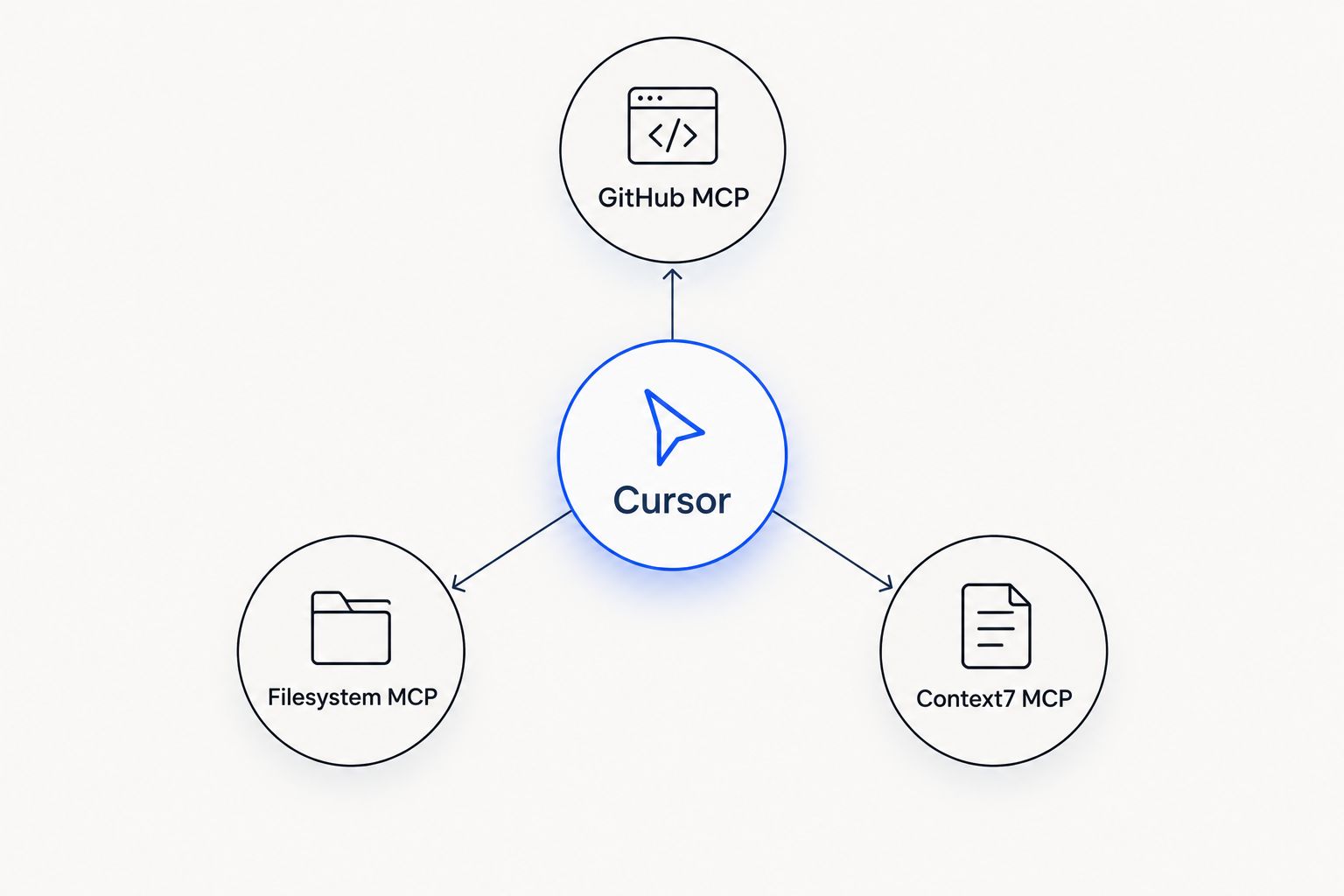
Three servers cover repo state, local files, and current docs before anything else gets added.
How we ranked
Each server earned its slot against the criteria above, not against how many stars it has on a registry page. GitHub MCP server and Filesystem MCP server rank highest because they satisfy nearly every Cursor project on day one — scoped, maintained, no shim needed. Servers further down the list, like Sentry and Linear, rank lower only because they're situational: excellent if you already run that stack, dead weight if you don't. Playwright and Context7 sit in the middle because they solve one specific, recurring failure mode — stale API guesses and untested browser flows — rather than a general need.
Which MCP server should you choose?
If you install one thing today, install the GitHub MCP server and pair it with the Filesystem MCP server before adding anything else — that combination covers repo awareness and local file context, the two gaps every Cursor user hits first. Add the Context7 MCP server the first time a generated import breaks against a library version that moved on without you. Add the Playwright MCP server the day you start writing end-to-end tests in Cursor instead of by hand. Sentry, Linear, Postgres, Brave Search, and the memory server are real upgrades, but they're upgrades for a specific workflow, not a universal starting point in 2026.
Sync MCP servers across your machines
Loadout keeps your Cursor MCP setup identical on every machine you code from.
FAQ
What is an MCP server for Cursor?
An MCP server is a program that exposes tools — GitHub actions, database queries, browser control — that Cursor's model can call directly. Cursor connects to it through an mcp.json config, the same protocol Claude Code and other MCP clients use.
How do I add an MCP server to Cursor?
Add the server's command and arguments to Cursor's mcp.json, either in a project's .cursor folder or in Cursor's global settings. Restart Cursor and the new tools appear in the chat's tool list.
Is the GitHub MCP server free to use?
The GitHub MCP server itself is open source and runs on your own token; any cost comes from GitHub API usage limits, not the server. Check GitHub's current API rate limit terms for your account type.
Can Cursor run multiple MCP servers at once?
Yes, Cursor loads every server listed in mcp.json and merges their tools into one list for the model to call. Running too many at once fills the context window with tool schemas before the model reads your prompt, so most setups run three to five servers, not ten.
Does Cursor support the same MCP servers as Claude Code?
Yes, MCP servers are protocol-compatible across clients, so a server configured for Claude Code works in Cursor with the same command and arguments. The tool doesn't care which editor is calling it.
What's the best MCP server for browser testing in Cursor?
The Playwright MCP server is the best fit for browser testing in Cursor because it drives a real rendered browser and returns screenshots, not a static HTML fetch.
Do MCP servers work offline in Cursor?
Local servers like the filesystem or memory MCP server work offline since they don't call an external API. Servers like Brave Search, GitHub, or Sentry MCP need network access because they wrap a remote service.
How do I sync MCP servers across multiple machines?
Cursor's mcp.json is per-machine by default, so switching laptops means re-adding every server by hand unless something syncs the config. Loadout syncs MCP server lists and toggle states across machines through a background agent, so a new machine picks up the same setup automatically.
One last thing
The failure mode nobody warns you about isn't a missing MCP server — it's too many active ones. Every server you enable adds its tool schemas to the context Cursor sends with each request, and by the time you're running eight or nine servers, the model burns tokens parsing tool definitions before it reads your actual prompt. Start with the three-server baseline above, watch how Cursor's response quality holds up over a week of real use, and add one server at a time instead of enabling the whole list on day one. That's true whether you're new to Cursor MCP servers in 2026 or cleaning up a config that's grown unmanaged since last year.