Best MCP servers for Windsurf in 2026
The best MCP servers for Windsurf in 2026, ranked by use case: Filesystem, GitHub, Postgres, Playwright, Brave Search, and Sentry compared side by side.
Filesystem MCP Server is the strongest overall pick, GitHub MCP Server locks down repo and pull-request work, Playwright MCP Server drives browser testing, and three more servers below round out database access, live search, and error debugging for Windsurf's Cascade agent in 2026.
TL;DR
- Filesystem MCP Server is the best overall MCP server for Windsurf in 2026 — Cascade needs local read/write access before any other server matters.
- GitHub MCP Server wins repo and PR workflows; Playwright MCP Server wins browser automation and UI testing inside Cascade.
- Postgres MCP Server, Brave Search MCP Server, and Sentry MCP Server cover database queries, live web research, and production error debugging.
- Loadout syncs which MCP servers are installed and enabled across every machine running Windsurf, so setup happens once, not per machine.
Why this matters
Windsurf's Cascade agent can call any MCP server that speaks the Model Context Protocol, and picking the right six matters more than installing every server you can find on a registry. Loadout syncs whichever MCP servers you choose across every machine running Windsurf, so the setup below only has to happen once per stack, not once per laptop.
Each connected server still adds tool definitions to Cascade's context window and expands what the agent can touch — your filesystem, your git remotes, your production database. In 2026 the MCP ecosystem has settled around a handful of reference implementations that most editors, including Windsurf, treat as defaults, which is why the six picks below cover real, repeatable jobs instead of novelty integrations.
Windsurf lists connected MCP servers inside Cascade's settings panel, where each entry needs a command, its arguments, and any environment variables the server requires, or a URL when the server runs remotely over SSE/HTTP instead of stdio. Getting that transport wrong is the single most common reason a server shows up in Cascade's list but never actually responds to a tool call.
What makes the best MCP servers for Windsurf
- Speaks the current MCP spec — works with Cascade's tool-calling format without a compatibility shim.
- Runs stdio or remote — supports local process execution or SSE/HTTP, matching how Cascade's settings expect a transport.
- Scoped permissions — a database server takes one connection string, not blanket admin credentials.
- Actively maintained — commits track the current MCP spec revision, not one from 2024.
- Documented args and env vars — the README lists the exact command and environment variables Cascade's settings panel needs.
- Portable config — the setup survives a move to a new machine without hand-editing JSON.
These criteria matter more for MCP servers than for a typical library dependency, because Cascade decides at runtime which tool to call — a poorly scoped server doesn't just fail quietly, it gives the agent an action it shouldn't take.
Best MCP servers for Windsurf at a glance
| MCP Server | Best for | Standout feature | Key limitation |
|---|---|---|---|
| Filesystem MCP Server | Local file context | Direct read/write inside an allow-listed directory | No git awareness on its own |
| GitHub MCP Server | Repo and PR workflows | Wraps the GitHub API for issues, PRs, and code search | Rate-limited by your GitHub token |
| Postgres MCP Server | Schema-aware database work | Runs queries against a live connection string | A missed read-only flag risks a destructive query |
| Playwright MCP Server | Browser automation and UI testing | Drives a real Chromium instance, not a mock | Adds real browser overhead to every session |
| Brave Search MCP Server | Live web research | Returns citable results without leaving Cascade | Needs a Brave Search API key to function |
| Sentry MCP Server | Debugging production errors | Pulls stack traces straight into the agent | Useless without an existing Sentry project |
1. Filesystem MCP Server: best MCP server for Windsurf for local file context
Filesystem MCP Server gives Cascade direct read and write access to a directory you allow, without shelling out to the OS for every file operation. It's one of the original reference servers built for the Model Context Protocol, and most Windsurf setups install it first because Cascade can't edit code it can't see. It also doubles as the fallback most other MCP servers assume is already running, since several remote servers only send back a path reference and expect Cascade to resolve it locally.
Filesystem MCP Server pros:
- Works the moment you point it at a project root — no external account needed
- Runs entirely local, so no code leaves your machine to reach it
- Handles nested directories and multiple allow-listed paths in one config
Filesystem MCP Server cons:
- No built-in git awareness — it edits files without knowing about staged changes
- An allow-list that's too wide gives Cascade write access outside the project
Best for: teams that want Cascade editing code directly instead of pasting diffs back and forth.
Verdict: Buy. This is the first MCP server to configure in Windsurf in 2026, full stop.
2. GitHub MCP Server: best MCP server for Windsurf for repo and PR workflows
GitHub MCP Server wraps the GitHub API so Cascade can open issues, comment on pull requests, and search code across repos without a browser tab. It runs as an official server, which matters for a tool touching your repository's write access. Because it hits the same API surface as the GitHub CLI, most rate-limit and permission issues are the same ones a gh user would already recognize.
GitHub MCP Server pros:
- Handles PR review comments and issue triage inside the same session as the code
- Code search spans every repo your token can reach, not just the open project
- Authenticates with a personal access token you scope yourself
GitHub MCP Server cons:
- Inherits whatever rate limit your GitHub token carries — heavy use during a sprint can hit it
- A token with full repo scope gives Cascade more write access than most tasks need
Best for: engineers who run Cascade through the full PR lifecycle, not just local edits.
Verdict: Buy. Pair it with Filesystem MCP Server and most day-to-day Windsurf work is covered.
3. Postgres MCP Server: best MCP server for Windsurf for schema-aware database work
Postgres MCP Server connects Cascade to a live Postgres database through a connection string, letting the agent inspect schemas and run queries without you copy-pasting results back into chat. It's the same pattern several other database MCP servers copy, so the config format transfers if you later swap in a MySQL or SQLite variant.
Postgres MCP Server pros:
- Schema introspection means Cascade writes queries against real column names, not guesses
- Works against local dev databases or a staging instance behind a tunnel
- Query results come back structured, not as a screenshot you have to describe
Postgres MCP Server cons:
- Connecting it to a production database without read-only mode is a real risk
- No query history or undo — a bad write query executes like any other
Best for: developers debugging data issues who'd rather ask Cascade than open a SQL client.
Verdict: Buy, with read-only mode on anything that isn't a scratch database.
4. Playwright MCP Server: best MCP server for Windsurf for browser automation and UI testing
Playwright MCP Server drives an actual Chromium browser, so Cascade can click through a UI, fill forms, and read rendered pages instead of guessing what the DOM looks like from source alone. Because it reuses Playwright's own browser contexts, tests can persist cookies and login state across multiple Cascade tool calls in the same session.
Playwright MCP Server pros:
- Tests against the rendered page, catching layout and JS bugs static analysis misses
- Reuses Playwright's existing selector and wait-for-element logic
- Screenshots and console output come back as part of the tool response
Playwright MCP Server cons:
- A real browser process is heavier than every other server on this list
- Flaky selectors cause the same false failures they cause in any Playwright suite
Best for: front-end teams who want Cascade to verify a fix actually renders correctly.
Verdict: Buy for UI-heavy projects; Skip if your Windsurf work is backend-only.
5. Brave Search MCP Server: best MCP server for Windsurf for live web research
Brave Search MCP Server routes Cascade's questions through Brave's search API, returning results the agent can cite instead of relying on training data that may already be stale by 2026. Because the API sits behind Brave's own infrastructure, it doesn't inherit the rate limits or blocklists that scraping-based search tools run into.
Brave Search MCP Server pros:
- Simplest setup on this list — one API key and one config block
- Answers questions about libraries or APIs that shipped after the model's training cutoff
- Returns source links, so Cascade's answer is checkable
Brave Search MCP Server cons:
- Only as good as the search results Brave returns for a given query
- Requires an active Brave Search API key, which is a dependency to track
Best for: debugging against a library that changed recently or checking a fact Cascade can't verify locally.
Verdict: Buy if Cascade sessions regularly need current information; otherwise Hold.
6. Sentry MCP Server: best MCP server for Windsurf for debugging production errors
Sentry MCP Server pulls error events, stack traces, and issue metadata from a connected Sentry project directly into Cascade, so a production bug report turns into a fix without a tab switch. Because the server reads directly from Sentry's issue API, the stack trace Cascade sees matches exactly what a human would see in the Sentry dashboard, not a summarized version.
Sentry MCP Server pros:
- Stack traces come with the exact release and environment tags Sentry captured
- Cascade can cross-reference an error's stack trace against the local file it points to
- Issue status updates happen from inside the same session that wrote the fix
Sentry MCP Server cons:
- Only useful if the project already ships errors to Sentry — no value otherwise
- Access scope depends on the Sentry project token, which needs its own review
Best for: teams that triage production errors and want the fix loop to start from the actual stack trace.
Verdict: Buy if you already run Sentry; Skip otherwise — it does nothing without a connected project.
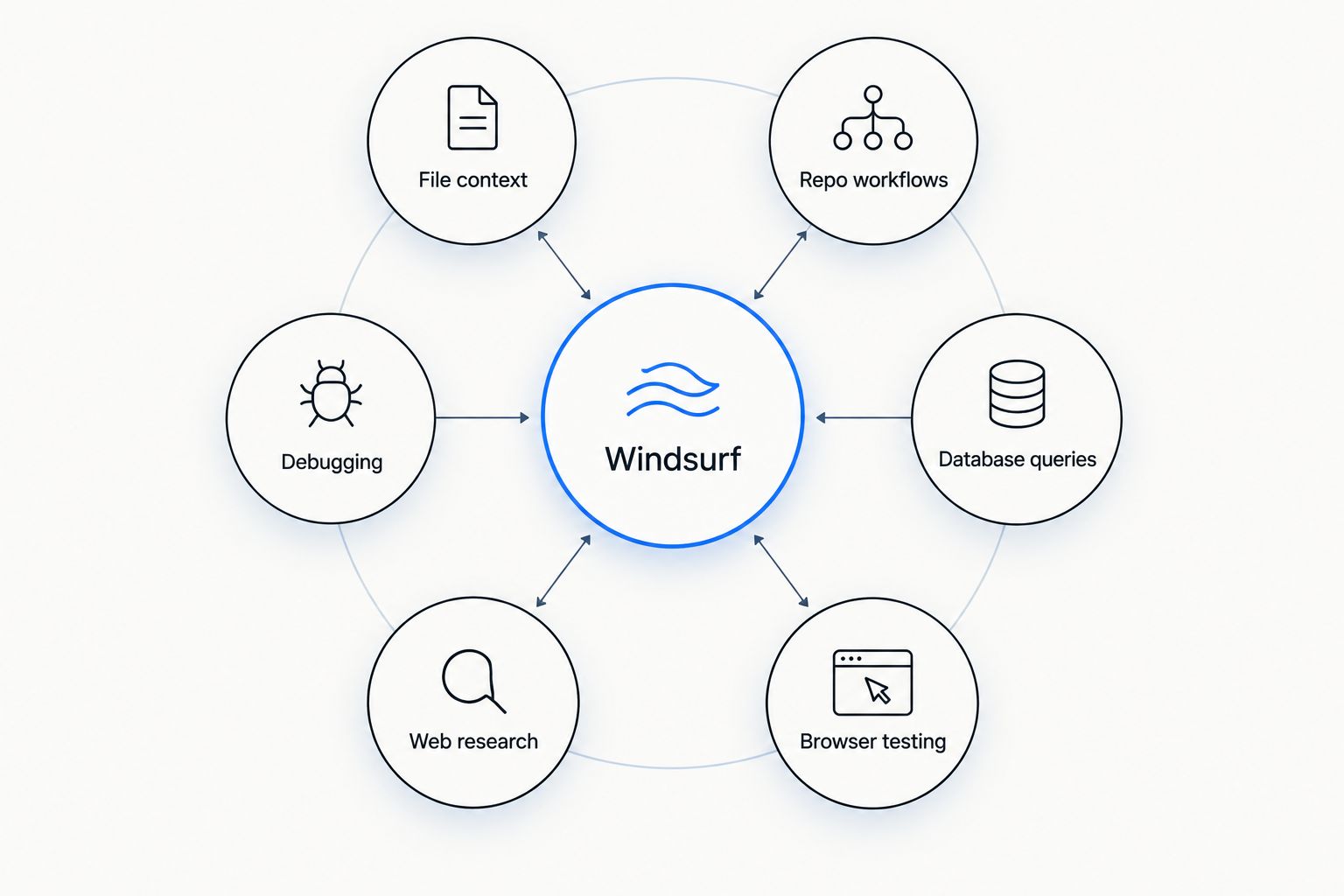
Each MCP server covers one job: file access, repos, databases, browsers, search, or error traces.
How we ranked
Each server is judged against the criteria above: does it speak the current MCP spec, does it run without a shim, is the permission scope tight, is it maintained, and does the config survive a move to a new machine. A server that's actively maintained but poorly documented still loses points, because Cascade's settings panel needs the exact command and args up front — there's no interactive setup wizard to fall back on. Filesystem MCP Server and GitHub MCP Server rank highest because nearly every Windsurf workflow touches files and repos first. Postgres, Playwright, Brave Search, and Sentry rank lower only because their use case is narrower, not because they're weaker servers. Once you land on the set that fits your stack, Loadout syncs that exact MCP server configuration across every machine, so the ranking above only has to happen once.
Sync MCP servers across every machine
Configure Windsurf's MCP servers once; Loadout keeps every machine in sync.
Which MCP server should you choose for Windsurf?
Start with Filesystem MCP Server and GitHub MCP Server — together they cover local edits and repo workflows, which is most of what Cascade does in a typical Windsurf session in 2026. Add Postgres MCP Server the moment a task touches a database, Playwright MCP Server if the project has a UI to test, Brave Search MCP Server when Cascade needs information newer than its training data, and Sentry MCP Server once production errors are part of the loop. Six servers, six jobs — install the ones that match the work in front of you, not the whole list at once. If your Windsurf work never touches a browser or a database, two servers is a complete, honest setup — there's no ranking bonus for installing servers you won't use.
FAQ
What are the best MCP servers for Windsurf in 2026?
Filesystem MCP Server, GitHub MCP Server, Postgres MCP Server, Playwright MCP Server, Brave Search MCP Server, and Sentry MCP Server cover the most common Windsurf workflows in 2026. Which ones to install depends on whether your work touches a database, a UI, or production error tracking.
Does Windsurf's Cascade agent support any MCP server?
Cascade supports any server that speaks the Model Context Protocol over stdio or a remote SSE/HTTP transport. Compatibility problems usually trace back to a server running an outdated spec version, not to Windsurf itself.
How do you add an MCP server to Windsurf?
Add the server's command, arguments, and any required environment variables through Windsurf's Cascade MCP settings, then restart Cascade so it picks up the new tool definitions. Most servers document the exact config block in their README.
Is the GitHub MCP server official?
Yes, GitHub maintains an official MCP server that wraps its API for issues, pull requests, and code search. Authentication runs through a personal access token you scope yourself.
How much does it cost to run these MCP servers?
The servers themselves are open source and free to run. Costs come from any third-party API a server calls, like a GitHub token's rate limit or a Brave Search API key, and those follow each provider's own terms.
Can you sync MCP server configs across multiple machines?
Yes. Loadout syncs which MCP servers are installed and enabled across every machine running Windsurf, so a new laptop doesn't require reconfiguring each server by hand.
Is Postgres MCP Server safe to connect to a production database?
Only in read-only mode. Without it, a single bad prompt can execute a destructive query against live data, the same risk any direct database access carries.
What's the difference between MCP support in Windsurf and Cursor?
Both editors implement the same Model Context Protocol, so most servers work in either without changes. The difference is in each editor's settings UI for adding a server, not the servers themselves.
One last thing
The Windsurf setups that break in 2026 almost always run too many MCP servers scoped too wide, not too few. Five servers with tight permissions outperform twelve with blanket access, because every extra tool definition eats into Cascade's context window and every extra scope is one more thing that can go wrong when the agent picks the wrong action. The same logic applies across every editor's MCP setup, not just Windsurf's — scope first, count second. Start with two, add the rest as the work demands them.
Related guides
Loadout also publishes ranked MCP server guides for other coding agents: