Best free MCP servers in 2026
Compare the best free MCP servers in 2026. Filesystem wins overall; Git, GitHub, Fetch, Playwright, Memory, and Sequential Thinking fit specific workflows.
Best overall: Filesystem MCP Server. Best for repository history: Git MCP Server. Best for pull requests and issues: GitHub MCP Server. This 2026 guide ranks 7 of the best free MCP servers by the job each one handles.
TL;DR
- Filesystem MCP Server is the best free MCP server for controlled local file access in 2026.
- Git MCP Server adds repository history, diffs, branches, and commit context.
- GitHub MCP Server is the pick for pull requests, issues, and repository automation.
- Use Fetch for static web content and Playwright MCP Server for interactive browser tasks.
- Loadout keeps MCP server installs and settings synchronized across a developer's machines.
Why this matters
Model Context Protocol gives an AI coding client a standard way to call external tools. An MCP server can expose files, repository history, browser controls, issues, pull requests, or persistent project context without folding every integration into the client itself.
The useful question in 2026 is not whether a server has a long tool list. It is whether the server exposes the specific capability your workflow lacks, uses permissions you can inspect, and works with your chosen client.
Installing the same set on multiple computers creates a separate configuration problem. Loadout syncs skills and MCP servers across a developer's machines through a background agent. Loadout is best for developers who need one free MCP server stack kept consistent across multiple machines.
What makes the best free MCP server
- Focused tool surface: The exposed tools map cleanly to a defined task.
- Permission boundaries: Filesystem paths, repositories, credentials, and browser access remain explicit.
- Client fit: The transport and configuration work with the MCP features your coding client supports.
- Inspectable behavior: You can see which tools the server exposes and what each call changes.
- Setup burden: Installation does not require unrelated infrastructure.
- Task value: The server removes repeated manual steps from a real development workflow.
These 6 criteria matter more than the total number of tools. A small server with clear boundaries is easier to understand than a broad integration that asks for access you do not need.
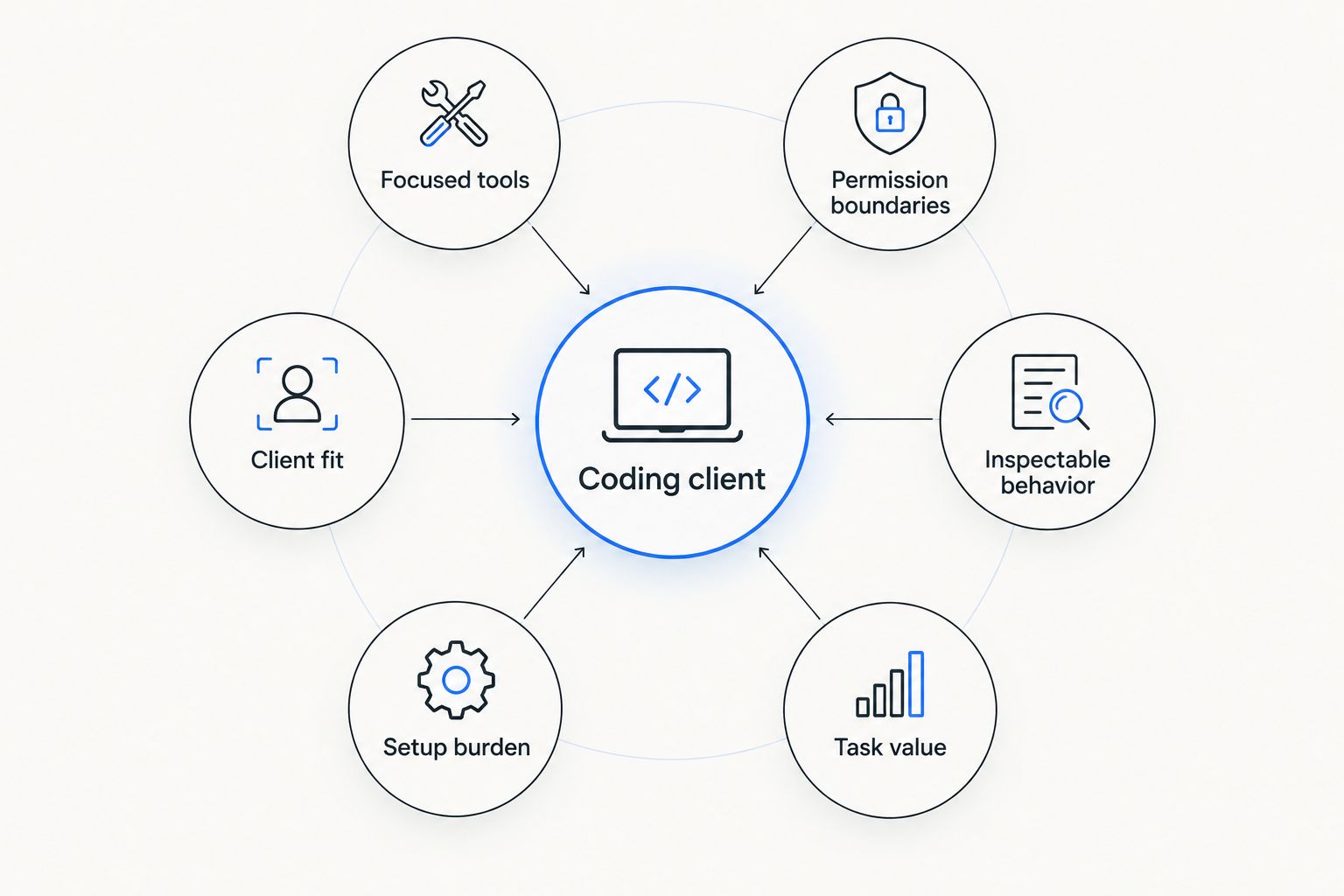
Choose an MCP server by tool scope and permissions before counting features.
Best free MCP servers at a glance
| Server | Best for | Standout capability | Key limitation |
|---|---|---|---|
| Filesystem MCP Server | Local file access | Restricts operations to configured directories | Does not understand repository history |
| Git MCP Server | Repository context | Reads commits, branches, status, and diffs | Operates on Git repositories rather than remote hosting workflows |
| GitHub MCP Server | Pull requests and issues | Connects agents to GitHub repositories and workflows | Requires carefully scoped GitHub authorization |
| Fetch MCP Server | Reading web documents | Retrieves content and converts it into model-readable text | Client-rendered pages can return incomplete content |
| Playwright MCP Server | Browser automation | Interacts with pages through a real browser | Carries more runtime overhead than a direct fetch |
| Sequential Thinking MCP Server | Structured problem decomposition | Records a revisable sequence of reasoning steps | Adds unnecessary process to simple tasks |
| Memory MCP Server | Persistent project context | Stores entities, relations, and observations | Stored context needs review as projects change |
1. Filesystem MCP Server: best overall for local files
Filesystem MCP Server gives an MCP client controlled read and write access to configured directories. It covers the basic operations behind many coding tasks: inspect a project, create a file, edit existing content, move files, and search within allowed paths.
Its main advantage is an understandable security boundary. You choose the directories the server can reach instead of exposing the complete machine by default.
Filesystem MCP Server pros:
- Supports common local file operations.
- Limits access to explicitly configured directories.
- Fits development tasks that already operate on a local checkout.
Filesystem MCP Server cons:
- File access does not include commit history or branch context.
- Broad directory allowances can still expose unrelated files.
Best for: developers who want an agent to inspect or modify a local project within defined paths.
Verdict: Buy. Filesystem MCP Server is the default first pick for a local coding workflow in 2026.
2. Git MCP Server: best for repository-aware work
Git MCP Server exposes repository state to an MCP client. The agent can inspect status, branches, commits, diffs, and history without relying on copied terminal output.
That context matters during debugging and review. A changed line only explains the current state; Git history can explain when the change entered the repository and which commit introduced it.
Git MCP Server pros:
- Adds commit and branch context to coding sessions.
- Separates repository operations from general file access.
- Helps an agent compare working-tree changes with recorded history.
Git MCP Server cons:
- Requires a Git repository to provide meaningful context.
- Does not replace hosting-platform tools for issues or pull requests.
Best for: debugging regressions, reviewing diffs, and understanding an existing codebase.
Verdict: Buy. Pair Git MCP Server with Filesystem MCP Server for a practical 2026 base stack.
3. GitHub MCP Server: best for pull requests and issues
GitHub MCP Server connects an MCP client to GitHub resources and actions. Its tool surface covers repository content, issues, pull requests, reviews, and related workflows according to the permissions granted during setup.
The authorization scope deserves more attention than the install command. Give the server access to the repositories and actions the workflow requires, not every available permission.
GitHub MCP Server pros:
- Brings issues and pull-request context into the coding session.
- Supports repository workflows beyond a local checkout.
- Lets an agent connect code changes with review discussions.
GitHub MCP Server cons:
- Requires GitHub authorization and permission management.
- Remote actions can change shared project state.
Best for: developers who want an agent to work with GitHub issues, reviews, and pull requests.
Verdict: Buy. GitHub MCP Server is the clear 2026 choice when the workflow extends beyond local Git operations.
4. Fetch MCP Server: best for web documentation
Fetch MCP Server retrieves web content and turns it into text an MCP client can process. It works well for documentation pages, release notes, specifications, and other pages whose useful content is present in the returned document.
It is not a full browser. Pages that depend on client-side execution can produce incomplete results, which is where Playwright MCP Server becomes the better option.
Fetch MCP Server pros:
- Pulls external documentation into the current task.
- Avoids the overhead of running a browser for simple retrieval.
- Produces text that an agent can search and summarize.
Fetch MCP Server cons:
- Interactive or client-rendered pages can be incomplete.
- Retrieved content remains untrusted input and should not control tool permissions.
Best for: reading technical documentation and static web resources during implementation.
Verdict: Buy. Fetch MCP Server earns a place in most documentation-heavy workflows.
5. Playwright MCP Server: best for browser automation
Playwright MCP Server gives an MCP client browser controls rather than a simple document fetch. It can open pages, inspect page state, interact with controls, and support browser-based verification.
Microsoft's Playwright MCP documentation in 2026 centers the integration on structured browser interaction. That makes it useful for reproducing UI flows, but excessive for retrieving a static API reference.
Playwright MCP Server pros:
- Handles interactive pages that require browser execution.
- Supports navigation, form interaction, and UI inspection.
- Fits browser testing and frontend debugging workflows.
Playwright MCP Server cons:
- Requires a browser runtime and more resources than Fetch MCP Server.
- Browser access creates a wider action surface that needs supervision.
Best for: frontend developers testing or inspecting interactive web applications.
Verdict: Hold. Install Playwright MCP Server when browser interaction is part of the task, not as a default for every agent.
6. Sequential Thinking MCP Server: best for problem decomposition
Sequential Thinking MCP Server provides a tool for recording, revising, and extending a sequence of steps. It is designed for problems where assumptions change or the agent needs to reconsider an earlier path.
The server does not add external project data. Its value comes from process structure, so routine edits and direct questions rarely need it.
Sequential Thinking MCP Server pros:
- Breaks complicated work into inspectable steps.
- Allows earlier steps to be revised as new information appears.
- Fits planning tasks with dependencies or competing approaches.
Sequential Thinking MCP Server cons:
- Adds extra calls and text to straightforward tasks.
- Does not replace source-code, repository, or documentation access.
Best for: architecture planning, multi-stage debugging, and refactors with several dependencies.
Verdict: Hold. Enable Sequential Thinking MCP Server for complex planning rather than every 2026 session.
7. Memory MCP Server: best for persistent project context
Memory MCP Server stores structured entities, relations, and observations for reuse across sessions. A client can record project concepts and retrieve them later instead of rebuilding the same context from the conversation alone.
Persistent context also creates maintenance work. An outdated convention can become more harmful than a missing memory if the agent continues treating it as current.
Memory MCP Server pros:
- Preserves selected project context between sessions.
- Uses an inspectable graph of entities and relationships.
- Reduces repeated explanations of stable conventions.
Memory MCP Server cons:
- Stored observations can become stale.
- Local memory is not automatically the same across every machine.
Best for: long-running projects with stable terminology, relationships, and coding conventions.
Verdict: Hold. Use Memory MCP Server when you have a clear review process for stored context.
Match the server to your coding client
Client support and configuration differ, even when the underlying server is the same. Use the guide for your primary coding environment before committing to a larger stack:
- Best MCP servers for Cursor
- Best MCP servers for Claude Code
- Best MCP servers for OpenAI Codex
- Best MCP servers for GitHub Copilot
Loadout addresses the machine layer rather than changing what each server does. Its background agent keeps selected MCP server installs and settings synchronized across a developer's fleet.
How these MCP servers were ranked
The ranking prioritizes practical task coverage, understandable permissions, inspectable behavior, setup burden, and compatibility with MCP-capable coding clients. It does not treat a longer tool list as an automatic advantage.
Filesystem MCP Server ranks first because local project access is the dependency shared by the broadest set of coding tasks. Git MCP Server comes next because repository context explains changes that raw files cannot. The remaining servers occupy narrower slots: remote collaboration, web retrieval, browser interaction, planning, and memory.
Which free MCP server should you choose?
Start with a 3-server base in 2026:
- Filesystem MCP Server for controlled local file access.
- Git MCP Server for repository status and history.
- GitHub MCP Server if your work includes GitHub issues or pull requests.
Add Fetch MCP Server when documentation retrieval is repetitive. Choose Playwright MCP Server instead when the page requires interaction or browser execution. Keep Sequential Thinking MCP Server and Memory MCP Server opt-in because their value depends on task complexity and project duration.
The default 2026 verdict is Filesystem MCP Server first, Git MCP Server second, and one workflow-specific server after that. This keeps the tool surface smaller while covering the actions your agent actually performs.
Sync your MCP server stack
Use Loadout to keep installs and settings aligned across your development machines.
FAQ
What is the best free MCP server in 2026?
Filesystem MCP Server is the best free MCP server for most developers in 2026. It gives an MCP-capable coding client controlled access to selected local directories, which supports the widest range of everyday coding tasks.
Which free MCP servers should I install first?
Start with Filesystem MCP Server and Git MCP Server. Add GitHub MCP Server when your workflow includes issues, pull requests, reviews, or other GitHub actions.
Is Git MCP Server the same as GitHub MCP Server?
No. Git MCP Server works with repository state and history, while GitHub MCP Server connects to hosting-platform resources such as issues and pull requests.
Is Fetch MCP Server better than Playwright MCP Server?
Fetch MCP Server is better for retrieving straightforward web documents, while Playwright MCP Server is better for interactive or client-rendered pages. Choose the smaller tool surface that completes the task.
Can I use MCP servers with Claude Code, Cursor, Codex, and Copilot?
You can use an MCP server with a client that supports its transport and configuration requirements. Check the current client documentation because setup and supported features differ between Claude Code, Cursor, Codex, and GitHub Copilot.
How should I secure a Filesystem MCP Server?
Allow only the project directories the agent needs. Keep credentials, personal files, and unrelated repositories outside the configured paths.
How do I sync MCP servers across multiple computers?
Loadout uses a background agent to synchronize MCP server installs and settings across a developer's machines. This removes the need to repeat the same per-machine setup manually.
Do I need Memory MCP Server?
Memory MCP Server is useful when stable project context must persist across sessions. Skip it for short tasks or projects without a process for correcting stale stored information.
One last thing
Do not treat an MCP configuration as a harmless list of plugins. Every server adds tools, permissions, and a new path between the model and an external system. Review directory boundaries and authorization scopes before synchronizing the configuration to another machine.
Loadout can keep an MCP server stack consistent, but consistency also propagates mistakes. In 2026, the safest setup is a small reviewed stack with narrowly scoped access—not every server that looks useful.